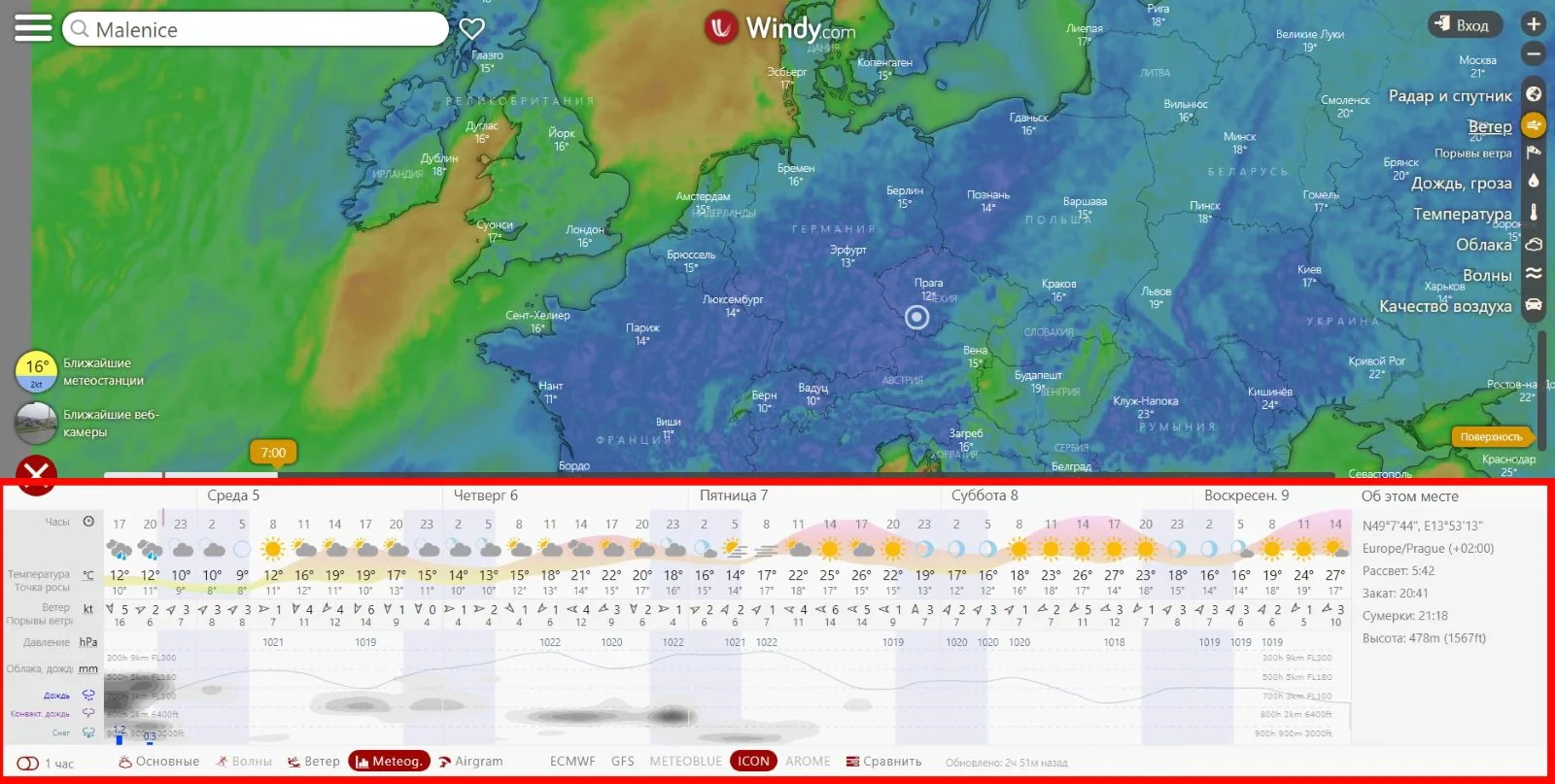

Here is a detailed analysis of Windy.com — a very powerful weather tracking, analysis and forecasting platform — suitable for tracking storms, high winds, rain, waves, etc. (in Vietnamese).
1. General introduction
- Windy.com is a product of the company Windyty, SE (Czech Republic), initiated by Ivo Lukačovič in November 2014, initially under the name Windyty. Wikipedia+2Wikipedia+2
- Website: https://www.windy.com
- Objective: to display a global interactive map with weather data — wind, rain, pressure, … and allow users to “see” the weather over time. Windy.com/+1
2. Outstanding functions
- Support displaying multiple layers of data: wind (speed & gusts), rain/accumulation, pressure, temperature, humidity, clouds, waves, ocean currents, CAPE index (storm forecast) … App Store+1
- Real-time map and forecast: there is a slider to fast forward to the future and see the forecast (e.g. 3h, 6h, 24h). Francesco Gola
- Supports multiple weather models, can switch between models for comparison. Wikipedia+1
- Has a mobile app version (iOS/Android) and supports devices such as Apple Watch. App Store
- Has an API for programmers: Windy API allows accessing coordinate data, displaying custom maps, webcams, etc. Windy API
3. Data models and sources used
- Windy.com uses data from many large global and regional models, such as:
- ECMWF (9 km global) Wikipedia+1
- GFS (22 km global) Wikipedia+1
- ICON (6 km European / 13 km global) Wikipedia+1
- And regional models such as AROME, HRDPS, NAM etc. Wikipedia
- Therefore, Windy provides high-resolution and in-depth data — very suitable for tracking strong weather phenomena such as storms, strong gusts.
4. Advantages & strengths in tracking storms/strong winds
- The map interface is very intuitive: with colors, wind arrows, isobars — helping users quickly grasp wind direction and speed, and rainfall patterns. Francesco Gola
- Ability to “zoom” and jump to any coordinate in the world — very convenient for tracking storms, seas or small islands.
- With high resolution models and multiple data layers — when tracking storms/tropics, you can turn on the wind + wave + rain layer to see the interaction between them.
- Model comparison option: when one model predicts the direction/intensity of the storm differently from another, you can evaluate the “strength” of the forecast.
- There is a warning function (notifications) in the app: users can set wind, rain, temperature warnings according to the area they are interested in. App Store
Unit `kt` in wind, storm
The unit kt (read as knot, Vietnamese: nautical miles per hour) is a unit of wind speed commonly used in maritime, aviation, and meteorology — including hurricane tracking on sites like Windy.com, NOAA, JTWC, etc.
 1. Definition
- 1 knot (1 kt) = 1 nautical mile per hour (1 nautical mile per hour)
- 1 nautical mile = 1.852 km
→ 1 kt = 1.852 km/h ≈ 0.514 m/s
 2. Quick Conversion
| Unit | Conversion |
|---|---|
| 1 kt | 1.852 km/h |
| 10 kt | 18.52 km/h |
| 50 kt | 92.6 km/h |
| 100 kt | 185.2 km/h |
| 130 kt | ~240 km/h |
 3. Why use “kt” when tracking storms
-
Many international meteorological agencies (such as JTWC – Joint Typhoon Warning Center) use the knot unit because it is consistent with the nautical system used in navigation, making it easy to convert distances on maps.
-
Data on Windy.com or NOAA, ECMWF… can be displayed in
kt,km/h, orm/s. You can change it in the Settings → Wind speed unit section.
 4. Example of storm wind speed in kt unit
| Storm level | Speed (kt) | Equivalent (km/h) | Notes |
|---|---|---|---|
| Tropical depression | < 34 kt | < 63 km/h | Weak wind |
| Tropical storm | 34 – 63 kt | 63 – 117 km/h | Strong wind, can cause heavy rain |
| Typhoon | 64 – 129 kt | 118 – 239 km/h | Severe gusts |
| Super typhoon | ≥ 130 kt | ≥ 240 km/h | Extremely strong wind, causing serious damage |
How to convert storm level?
The same unit kt (knot) can be converted to storm level (according to the Beaufort scale or according to Vietnamese / international standards), but it is necessary to distinguish clearly because each system uses a different classification.
I will explain each standard in detail 
1. Beaufort scale (international - basic)
The Beaufort scale has 17 levels (0–17), based on the average wind speed 10 minutes, converted from kt, km/h, or m/s.
| Beaufort level | Speed (kt) | Speed (km/h) | Description |
|---|---|---|---|
| 0 | < 1 | < 2 | Calm |
| 1 | 1–3 | 2–6 | Light wind |
| 2 | 4–6 | 7–11 | Very light wind |
| 3 | 7–10 | 12–19 | Light to moderate winds |
| 4 | 11–16 | 20–28 | Moderate winds |
| 5 | 17–21 | 29–38 | Fairly strong winds |
| 6 | 22–27 | 39–49 | Strong winds |
| 7 | 28–33 | 50–61 | Very strong winds |
| 8 | 34–40 | 62–74 | Gusts/small storms |
| 9 | 41–47 | 75–88 | Stormy winds |
| 10 | 48–55 | 89–102 | Strong storms |
| 11 | 56–63 | 103–117 | Severe storms |
| 12 | ≥ 64 | ≥ 118 | Stormy winds of level 12 or higher |
| 13–17 | 68–135+ | 126–250+ | Super Typhoon / Super Typhoon |
 2. Classification standards of Vietnam
According to National Center for Hydro-Meteorological Forecasting (NCHMF), the Vietnamese standard is also based on the average maximum 10-minute wind speed, often converted to storm level (12–17) as follows:
| Storm level | Speed (km/h) | Speed (kt, approximately) | Classification |
|---|---|---|---|
| < level 6 | < 39 | < 21 kt | Tropical depression |
| Level 6–7 | 39–61 | 21–33 kt | Strong depression |
| Level 8–9 | 62–88 | 34–47 kt | Regular storm |
| Level 10–11 | 89–117 | 48–63 kt | Strong storm |
| Level 12–15 | 118–183 | 64–99 kt | Very strong storm |
| Level 16–17 | 184–220 | 100–119 kt | Storm / super storm |
| > level 17 | > 221 | > 120 kt | Super typhoon |
 Example:
- Storm 60 kt (~111 km/h) → level 10–11, strong storm.
- Storm 130 kt (~240 km/h) → level 17, super typhoon.
3. Classification standard according to JTWC / WMO (international - Western Pacific)
The JTWC (United States) and WMO (World Meteorological Organization) classify storms according to the average maximum 1-minute wind speed, so the data is usually 10–15% higher than in Vietnam.
| Type | Speed (kt, average 1-minute) | Speed (km/h) | Notes |
|---|---|---|---|
| Tropical Depression (TD) | < 34 kt | < 63 km/h | — |
| Tropical Storm (TS) | 34–63 kt | 63–117 km/h | Tropical Storm |
| Strong Storm (TY) | 64–129 kt | 118–239 km/h | Typhoon |
| Super Typhoon | ≥ 130 kt | ≥ 240 km/h | Super Typhoon |
 4. Quick conversion summary
| Speed (kt) | km/h | Vietnam storm level (estimated) | Classification |
|---|---|---|---|
| 25 | 46 | 6 | Tropical depression |
| 40 | 74 | 8 | Weak storm |
| 55 | 102 | 10 | Moderate storm |
| 70 | 130 | 12 | Strong storm |
| 90 | 167 | 14 | Very strong storm |
| 120 | 222 | 16 | Extremely strong |
| 150 | 278 | 17+ | Super storm |
5. Limitations & Notes on Use
- Although the data is in-depth, it is still forecast — not guaranteed to be 100% accurate. In the terms, Windy also clearly states that they “are not responsible” for data provided by third parties. Windy+1
- Users need to understand a few concepts: different models give different results, and higher resolution is not necessarily better if the weather system is too complex. (A Reddit user commented:
“Windy is just a platform that displays visually data from various weather models/sources.” Reddit
- Some advanced features (e.g. radar history, advanced maps) require the Premium version — so if you’re serious about storm tracking, you might want to consider subscribing. Francesco Gola+1
- When tracking storms in maritime/tropical areas, Windy should be combined with official announcements from local meteorological agencies (e.g., in Vietnam, the National Center for Hydro-Meteorological Forecasting) as international model data may be biased in small areas/terrain complex.
6. Suggestions for use in Vietnam / Southeast Asia
- When a storm/tropical depression appears: turn on the “Wind (gusts)” layer to see wind gusts, turn on the “Rain accumulation” or “Precipitation” layer to see the forecast rainfall.
- Sea areas: turn on the “Waves” layer if available to estimate wave height and wave direction — very important when the storm is near the sea.
- Choose the right model for the region: for example, Asia - Pacific => check which model has good resolution for your area (Windy allows switching models).
- Use the time bar (slider) to see the forecast for several days and rewind the speed to see the progress of the storm.
- Combine with data from local agencies and monitor official warnings — do not rely only on the pretty interface.
Published: Track weather and storms with Windy.com